Real-time meeting AI · macOS
Real-time coaching for the conversations you can’t redo.
A real-time AI meeting assistant for Mac. Kennan listens during the call, transcribes on your device, and quietly suggests what to say next, on a HUD only you can see.
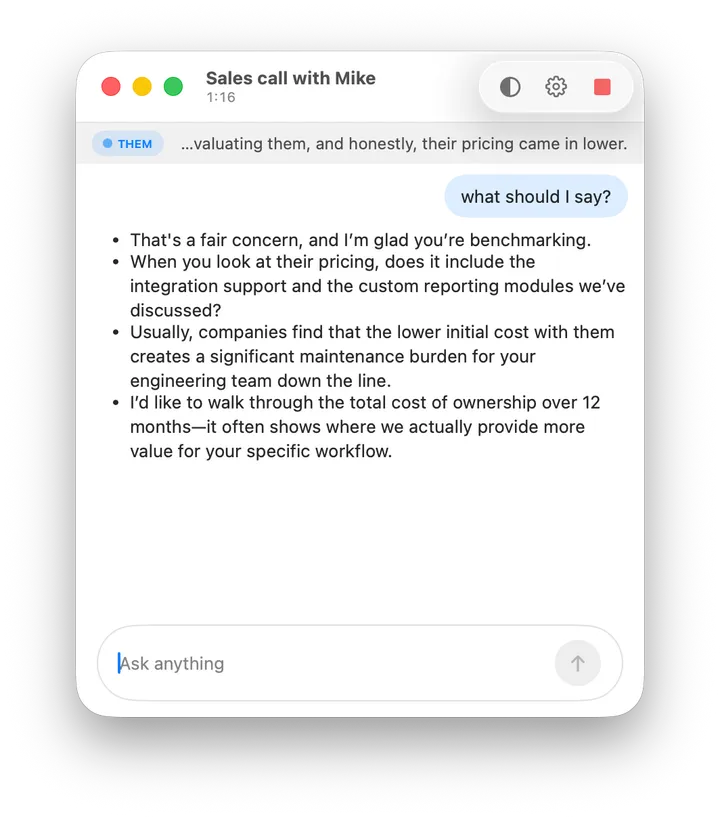
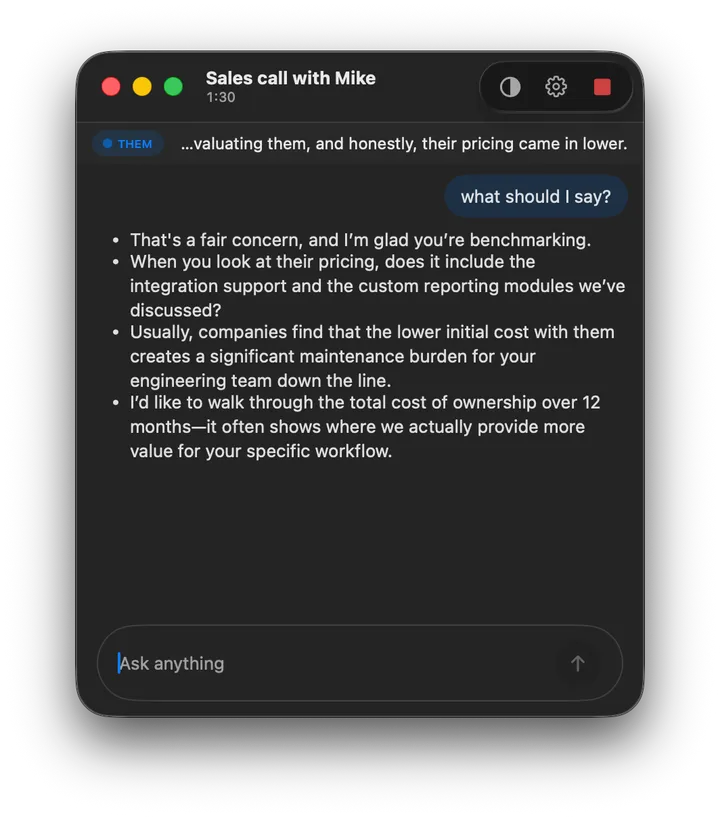
Mid-call. Transcript at the top, suggested moves below. Visible only to you.
After the call, or during it.
Most meeting AI tools wait until the call ends and hand you a summary. Kennan is a real-time meeting assistant: it helps while you’re still in the room.
Notes & summaries.
Otter, Granola, Krisp. They transcribe, summarize, and pull action items once the meeting is over. Useful, and a different category from Kennan.
Real-time coaching.
Kennan listens as the conversation unfolds and surfaces the next thing to say, in first person, on a HUD only you can see. The room never knows it’s there.
What to say next.
Every line on your HUD comes from a named, research-backed framework. Five conversations, and the words Kennan would put in front of you in each.
- Them
“Tell me about a time you had to give someone hard feedback.”
On your HUD- In my last role, a senior engineer’s code reviews had become a bottleneck for the team. I sat down with him, walked through three specific PRs where his comments had blocked work for over a week, and asked what was driving the depth of the review. We agreed on a same-day turnaround for non-architectural changes. Review latency dropped from five days to one within the month.
From STAR
- Them
“Walk me through the API platform project at Acme. What did you actually own?”
On your HUD- I led the platform team. Six engineers, all the public-facing services.
- We rebuilt the auth gateway over Q2. p99 latency dropped from 480ms to 95ms.
- Review latency moved from five days to one in the same window.
From Your resume + STAR
- Them
“What are you looking for in terms of compensation?”
On your HUD- $182,500 to $198,000 base is where I’d expect this role to land, given scope and comparable senior offers I’ve seen. What range were you working with?
From Anchoring
- Them
“We were expecting the deliverable last Friday. What happened?”
On your HUD- You’re right. We missed the Friday date, and I should have flagged the risk earlier.
- We hit a blocker in final testing, and I chose to hold it rather than ship something I didn’t trust.
- I can give you an updated delivery date by end of day today, along with the remaining risks.
From Defensiveness antidote
- Them
“Honestly, your pricing is too high.”
On your HUD- That’s a fair concern given what you’ve described.
- When you say “too high,” are you comparing against another vendor or against a specific budget number?
From LAER
- Them
“Fine. Whatever. Do what you want.”
On your HUD- I want to give this the weight it deserves. Can we pick it up at 3pm once we’ve both had a break?
From Stonewalling antidote
Trained on what you’ve written.
Drop in your resume, your strategy doc, last quarter’s notes, the playbook your team wrote. Kennan reads them, indexes them on your Mac, and surfaces the right fragment the moment a conversation needs it.
-
Anything readable.
Resume, deal memo, marketing brief, project spec, book chapter, customer notes. PDF, Markdown, plain text. Drop them in and Kennan indexes them.
-
Right fragment, right moment.
When the conversation calls for it, the assistant pulls the matching snippet from your library and works it into the line on your HUD. Not a wall of context, just the sentence you need.
-
Cited, not invented.
Every line that came from your files shows its source. You see the file name, not a guess. No hallucinated quotes from your own work.
-
Yours by default.
Files are embedded on your Mac. Your docs are not training data, and they do not leave the device unless you’ve pointed Kennan at a frontier model. Even then, the model sees the snippet, not the file.
Built differently.
Most AI meeting tools are an Electron shell wrapped around a SaaS pipeline. Kennan is a native macOS app that runs on your machine.
-
Built in Swift.
Pure native, no Electron, no web shell. Cold-starts instantly, idles at near-zero CPU. The HUD floats over your call without taxing the machine you’re calling on.
-
Feels like Apple made it.
Liquid Glass surfaces, system fonts, real menu‑bar citizen. Built with the OS’s own tools, not despite them.
-
Engineered prompts.
The assistant’s instructions aren’t a one‑shot guess. They’re tuned with state‑of‑the‑art prompt optimizers and evaluated on real conversational moves.
-
No cookie banner.
Notice you didn’t click one on your way in? No cookies, no fingerprinting, no per‑user profile. Just aggregate usage, so we can make the app better.
Yours alone.
Local‑first by default. On‑device transcription, on‑device language models, a fully offline pipeline if you want one. Nothing leaves the Mac unless you point it at a provider yourself.
-
Bring your own keys.
OpenAI, Anthropic, or Gemini. Your Mac talks to the provider you chose. No server in between.
-
Visible only to you.
The HUD is excluded from screen‑share and screen‑recording. No bot joins the meeting.
-
Open about what’s closed.
Every endpoint, every key, every model is named in settings. Privacy is architectural, not a policy promise.
Yours to keep.
No account to manage. No subscription to cancel. Most meeting AI is sold as a per-seat SaaS. Kennan is sold as a lifetime license for your Mac.
-
No login. No signup.
Download, open, start a meeting. Your account is your Mac. We don’t need an email to let you use the app you bought.
-
Lifetime license.
Pay once. Use forever. No subscription, no seat creep, no renewal email three months from now asking you to upgrade tiers.
Questions, answered.
-
How is Kennan different from Otter, Granola, or Krisp?
Otter, Granola, and Krisp work after the call: transcripts, summaries, action items. Kennan works during the call. It listens to the conversation as it happens and surfaces the next thing to say, in first person, on a HUD only you can see.
-
Does the other person know I’m using it?
No. Kennan does not join your meeting as a bot. The HUD floats on your screen and is excluded from screen-share and screen-recording. The other side sees and hears nothing different.
-
Does it work offline?
Yes. Transcription runs on-device by default. If you choose a local LLM, the entire pipeline is offline, with no network calls. Bring-your-own-key access to OpenAI, Anthropic, or Gemini is opt-in.
-
Can Kennan use my own documents in a conversation?
Yes. Drop a resume, a strategy doc, a customer brief, a project spec, or a book into Kennan’s knowledge base, and the assistant will surface the relevant fragment when the conversation calls for it. Files are indexed on your Mac, the source is cited every time a line comes from them, and your documents do not become training data.
-
Is my conversation stored anywhere?
Not by us. There is no Kennan-operated server in the request path. Your Mac talks directly to whichever provider you configured, or stays fully local. We do not relay, log, or retain your audio or transcripts.
-
Is Kennan designed to help me cheat in interviews?
No. Could a determined person use it that way? Mechanically, yes. Any coaching tool can be misused, including a printed cheat sheet or a friend on the other end of a Slack DM. We don’t pretend that’s impossible.
But Kennan is designed and built for the conversations where you want to show up better, not the ones where you want to hide. Negotiations. Performance reviews. Client calls. Hard feedback. Difficult conversations at work. The research library on the site is the spec; every framework on it is for a real-world conversation a thoughtful person actually has, not for getting through an interview you couldn’t otherwise pass.
-
What does it cost?
Kennan will be a lifetime license: pay once, use forever, no subscription, no seat creep. The initial release is going to a small group of early users at no cost. Pricing for the public release will be announced before launch.